
Bindery · by The Owlery Works
You wrote it in Markdown.
They asked for a Word document.
Bindery turns your Markdown into Word, PDF, EPUB or a Kobo e‑book — one file, or a folder of chapters bound into a single book.
On the App Store. Get Bindery.
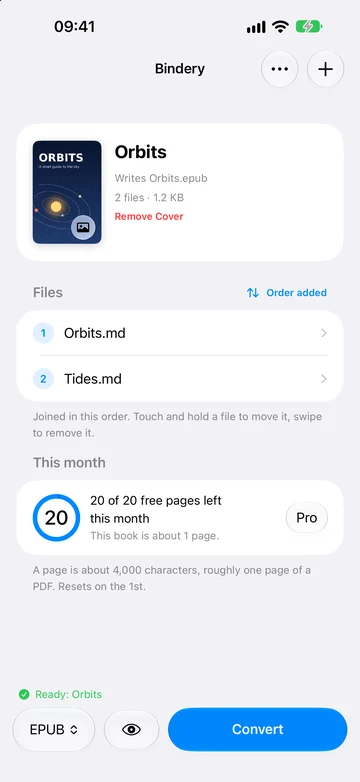
What it is for
Markdown is lovely to write in and awkward to hand over.
It is the best way to write something long. Then you finish, and the person waiting wants Word, or a PDF, or something their e‑reader will open — and there you are, pasting an unpublished manuscript into a website you have never heard of.
Bindery is that step, done on your phone. Point it at a file or a folder, choose a format, and out comes the document — contents page that navigates, diagrams drawn, equations typeset, code still coloured.
On an iPhone
A book, a look at its first pages, and the result.
No mock-ups. The book is a two-chapter demonstration written for these pictures; the formula, the diagram and the previews are the app's own output. Shown on iOS 27. On iOS 26 the app keeps its earlier design.
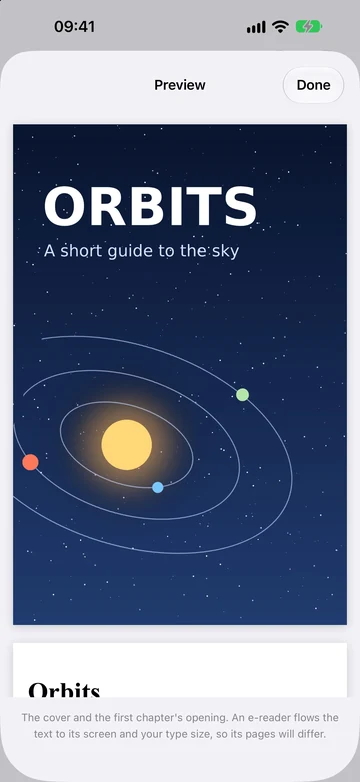
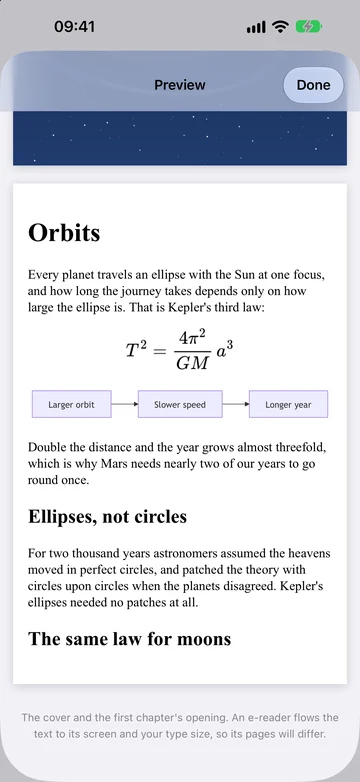
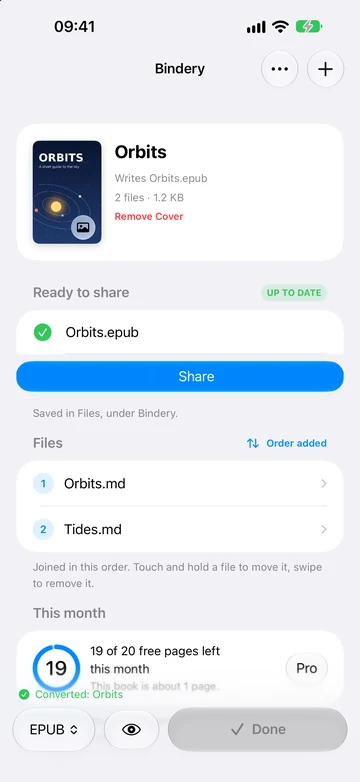
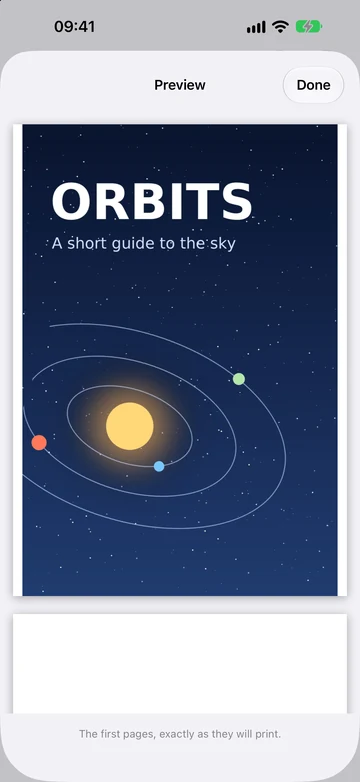
Scroll sideways for all six.
On an iPad
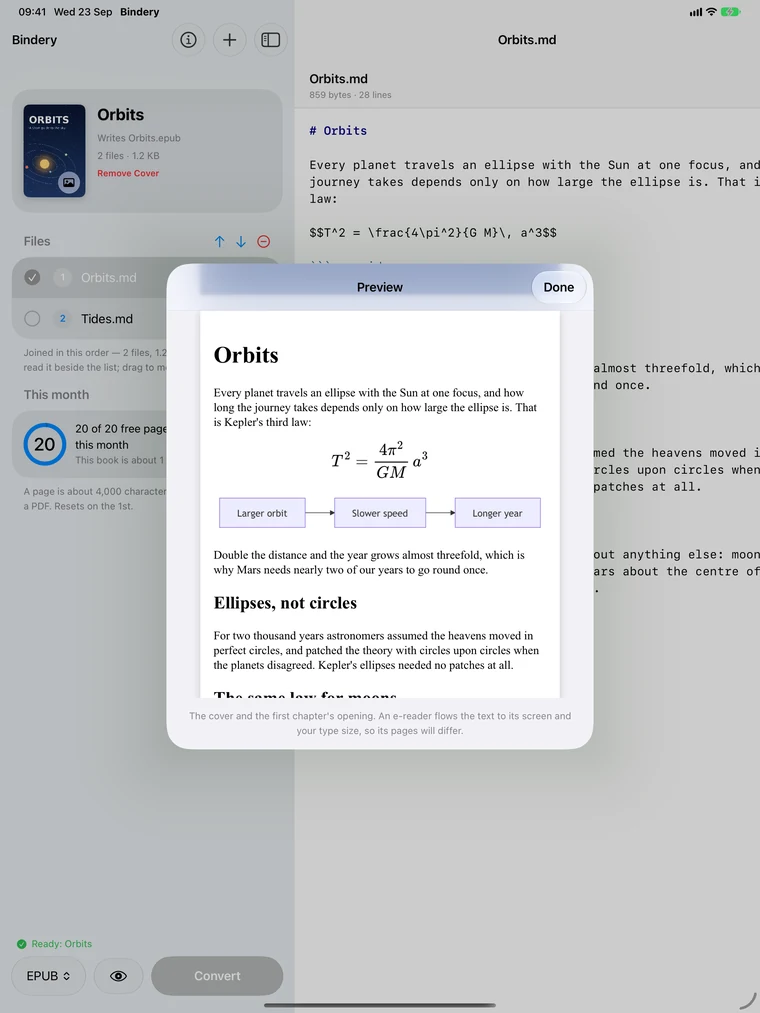
The document on one side, the book on the other.
On an iPad the selected file sits beside the book rather than behind it, so you can see what you are converting. A reading pane, not an editor — and Preview shows the first pages of the result over both.
In detail
What it actually does.
-
Four formats, one reading
Word, PDF, EPUB and Kobo's KEPUB, all written from one reading of your Markdown, so they cannot disagree.
-
A table of contents that navigates
A real contents field in Word, an outline in the PDF, both navigation styles in EPUB.
-
A folder of chapters becomes a book
Up to 500 files in the order you choose, with a page break at each seam and internal links that still land in the right place.
-
See the first pages first
Preview writes the start of the book in the format you chose and shows it before you convert. It is free, and never counts against the monthly pages.
-
Your photo on the cover
Choose a photo and it opens the EPUB, the Kobo file, the PDF and the Word document. Its location and camera details are removed first.
-
Diagrams and equations, drawn
Mermaid diagrams and both kinds of maths are drawn in, not dropped or left as source.
-
Code that keeps its colours
Highlighting survives all four formats — usually the first thing a converter loses.
-
Works with no network
Part of the app, not a service, and it asks for no permissions at all. Convert on a plane.
Privacy
Nothing you convert leaves your device.
An entire document engine sits inside the app, and no code in it could send a document anywhere. The only thing that reaches the outside world is the purchase, and that goes to Apple.
One thing it deliberately does not do: it never deletes your work for you. Files and finished documents stay until you remove them.
| Devices | iPhone and iPad, iOS 26 or later. |
|---|---|
| Languages | English only, for now. |
| Permissions | None. Files and cover photos come through the system's pickers. |
| Network | Never used to convert anything. Works switched off. |
| Account | None. |
| Stored on disk | The files you add, a cover photo if you choose one, the documents it makes, and a monthly counter. |
| Limits | 10 MB and 500 files per conversion — roughly 1.7 million words. |
| Free | 20 pages a month, where a page is 4,000 characters. |
| Bindery Pro | A one‑off purchase that removes the limit. Not a subscription — nothing renews. |
The price for your country is shown in the App Store and in the app before you buy, and charged to your Apple Account at confirmation. Restoring it on another device is a button on the same screen.
In plain terms
Markdown to Word, PDF, EPUB and KEPUB, on an iPhone or iPad.
Bindery is an iPhone and iPad app that converts Markdown files into Word documents, PDFs, EPUB e‑books and Kobo KEPUB e‑books. It joins several files into one book. It draws Mermaid diagrams, typesets mathematics and keeps code highlighted. It can put a photo of your choosing on the cover, and preview the first pages before converting. It runs on iOS 26 or later, works with no network, has no account and asks for no permissions. Nothing you convert is uploaded. It is free for twenty pages a month; Bindery Pro is a one‑off purchase that removes the limit. It is made by The Owlery Works in Sydney, Australia. How to use it, and how it compares with Pandoc.
Something not working?
Raise a case with or without an email address — your choice.