From The Owlery Works
A book that teaches you,
not just tells you.
Interactive Book is an iPhone and iPad app for books you learn from by doing. Each book is a short course. Read a lesson, try the idea in a hands-on lab, test yourself with a quiz, and review with flashcards that come back just before you would forget. Stuck on something? Ask the built-in tutor.
On the App Store. Get Interactive Book.
Why Interactive Book
Learn by doing, at your own pace.
A textbook explains things and then leaves you on your own. Interactive Book lets you try each idea straight away in a lab beside the lesson, then brings it back later with quizzes and flashcards so it sticks. There's no account to set up, and your progress stays on your device. On your home screen, look for Int. Book.
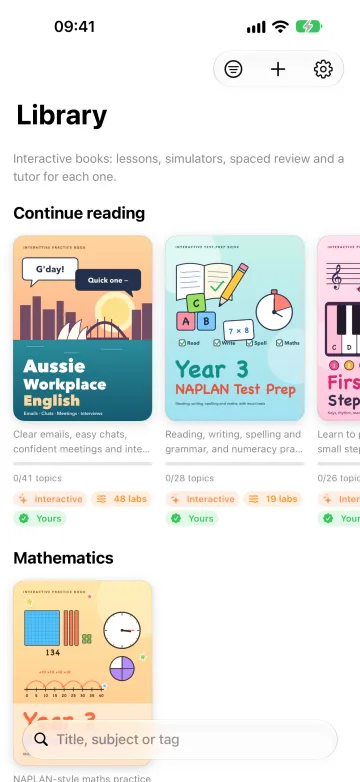
We're starting with eight books, all written by The Owlery Works in Australia, and we'll keep adding more. They cover NAPLAN practice for Year 3, first piano lessons, English at work, settling in Australia, phone photos and memory. Each book is free for an hour, then yours to keep with a single purchase. The tutor is included.
On iPhone
Take a look inside.
Real screens from the app, with the first four books.
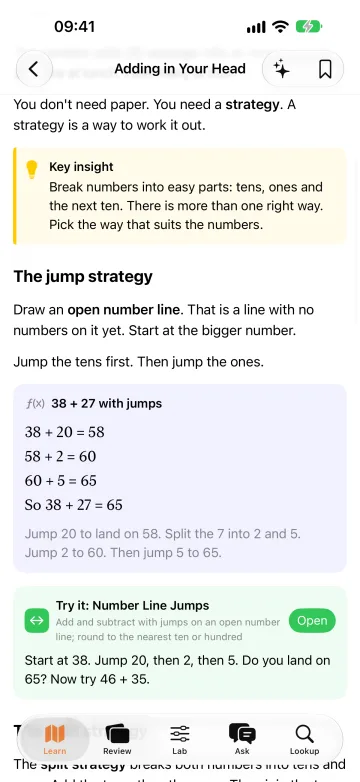
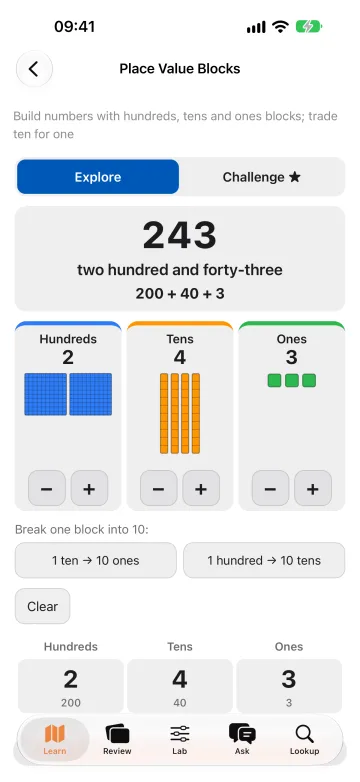
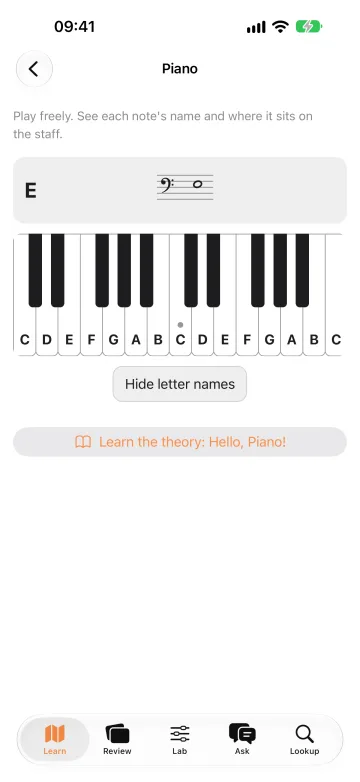
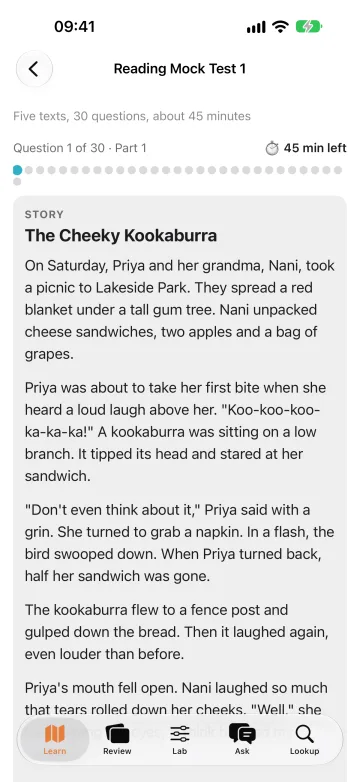
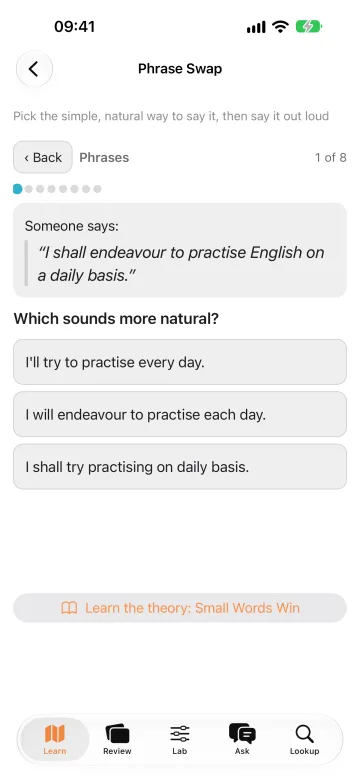
Swipe or scroll to see all six.
On iPad
Room to work things out.
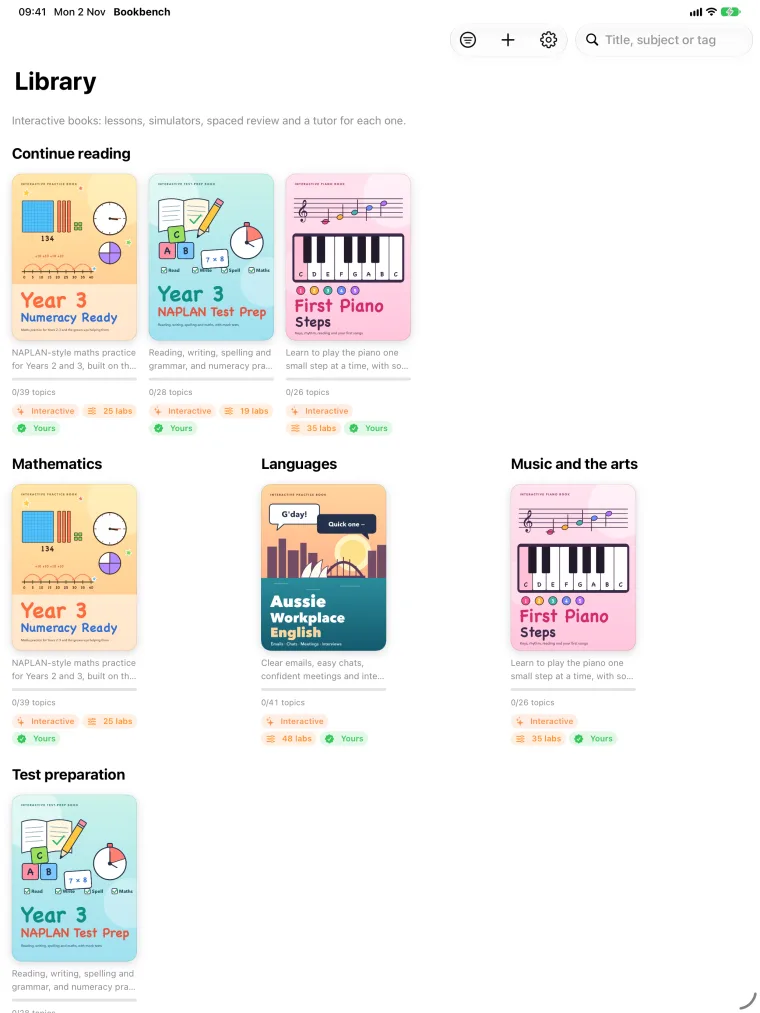
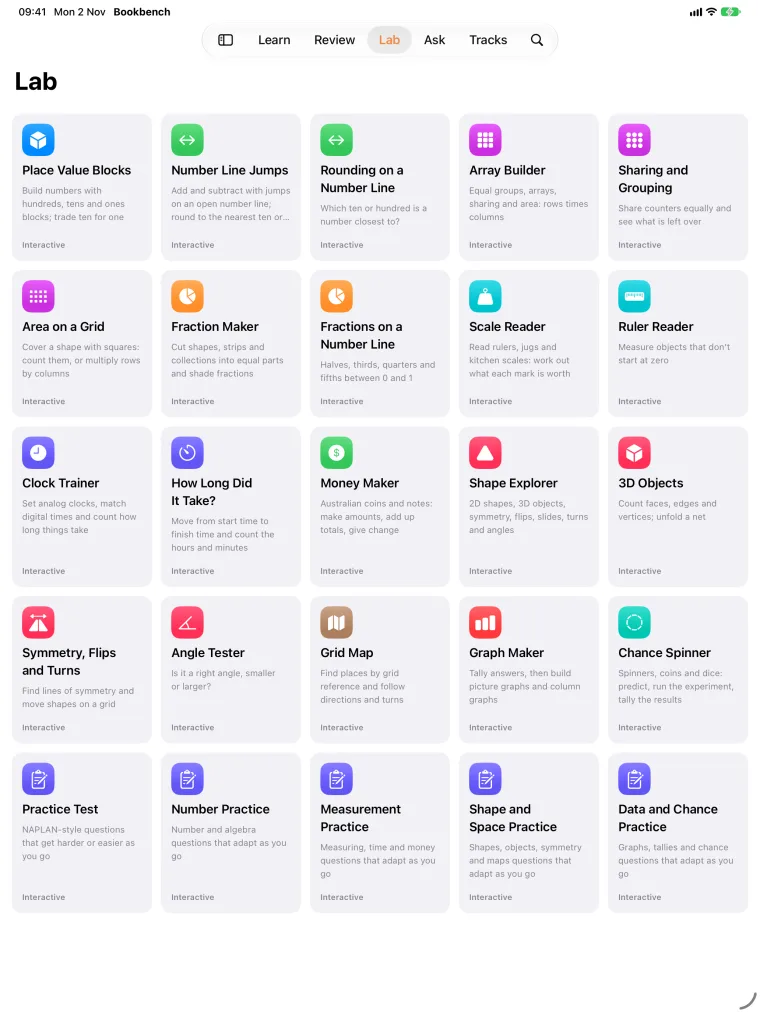
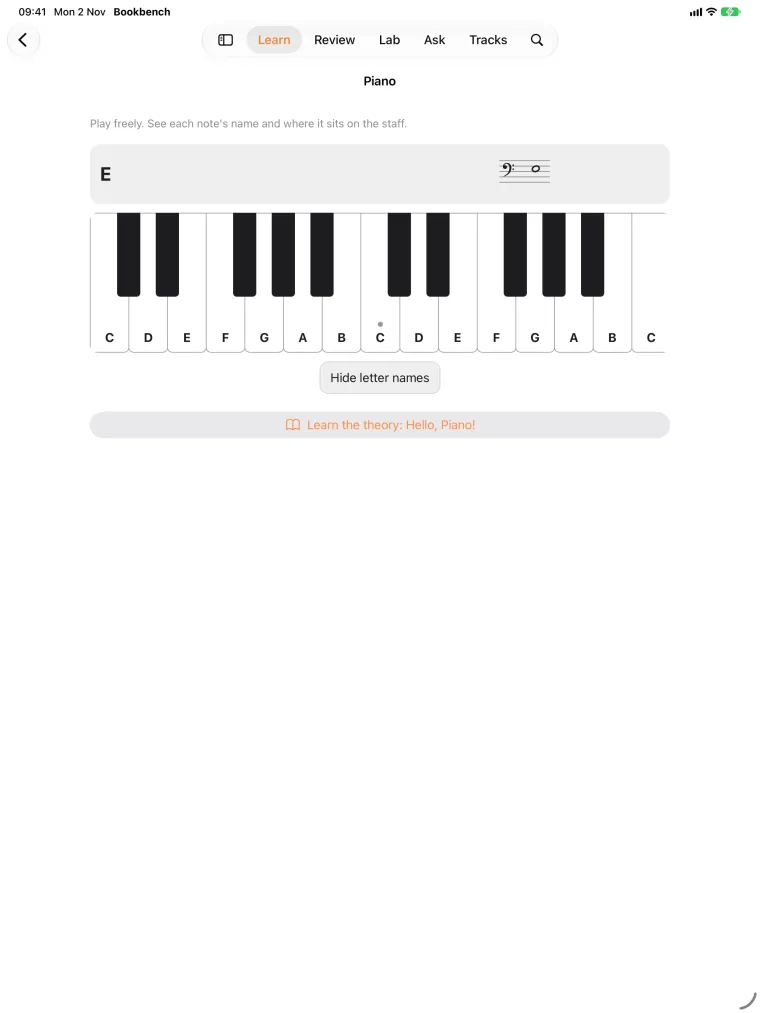
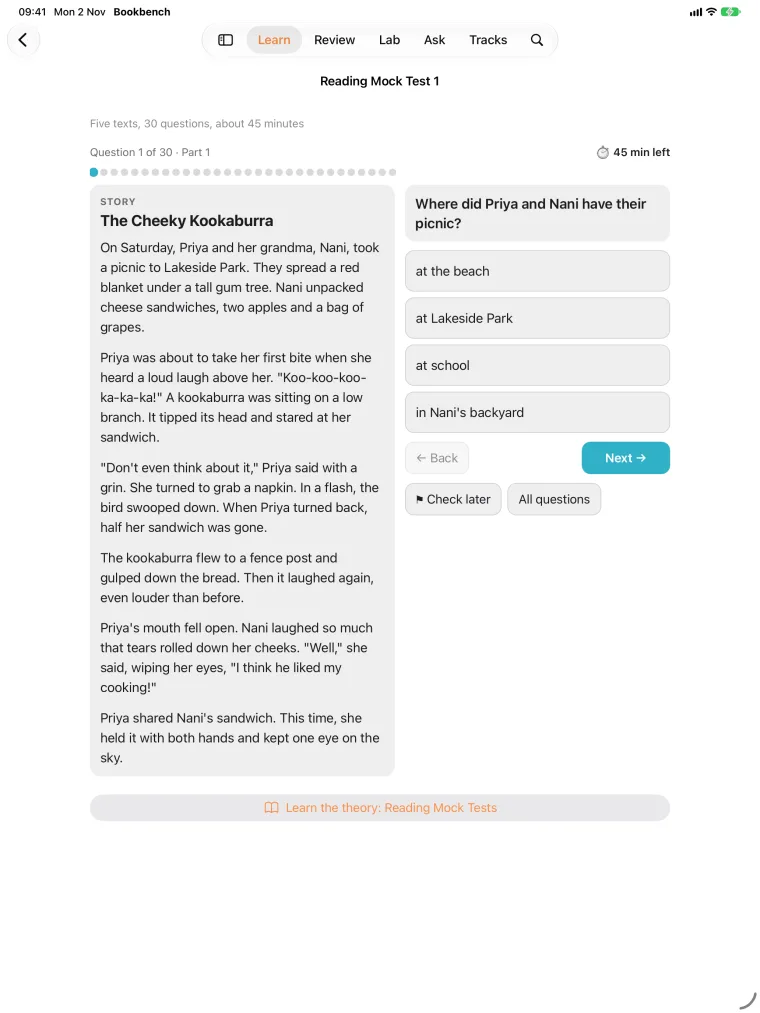
Turn your iPad sideways and a scratchpad opens next to the lesson. Write and draw with Apple Pencil or your finger, just like on paper. Your working is saved with the lesson, so it's still there when you come back.
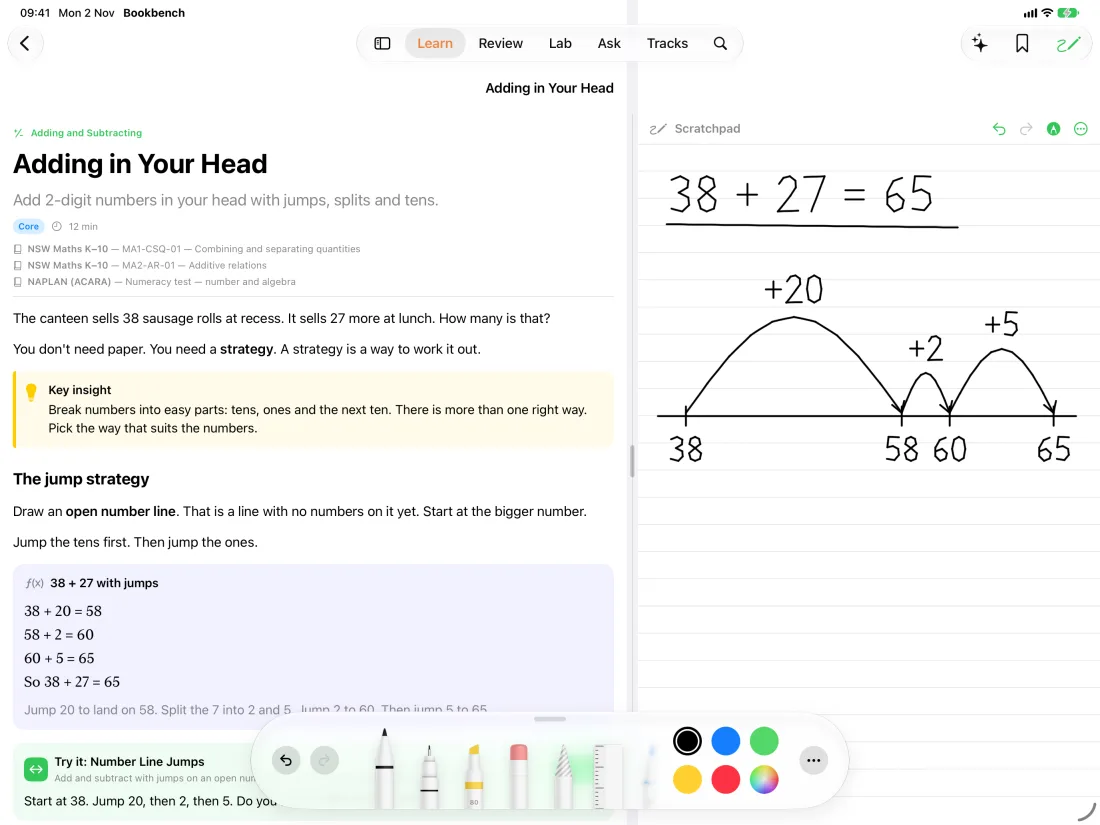
Swipe or scroll to see all four.
The books
The first eight books.
All original, written by The Owlery Works. More are on the way.
-
Year 3 Numeracy Ready
NAPLAN-style maths for children finishing Year 2 or starting Year 3, following the NSW syllabus. It covers numbers, adding and subtracting, fractions, measurement, time and money, shapes, and data. There are 39 lessons with hands-on labs like place-value blocks, a number line, a clock and Australian money, and every answer is explained.
-
Year 3 NAPLAN Test Prep
Practice for all four Year 3 tests: reading, writing, spelling, grammar and punctuation, and numeracy. There are 28 lessons, full practice tests that run to time, and a writing task with planners and a checklist so your child can look over their own work.
-
First Piano Steps
For children aged about six to nine, on a real piano or keyboard or the one in the app. Your child learns to find the keys, keep a steady beat and read notes, then plays songs with one hand and then both. Every song can be heard first, then played along as the next key lights up.
-
Aussie Workplace English
For IT professionals working in English in Australia. Follow a new business analyst at a Sydney consultancy as you practise emails, meetings, calls, small talk, Australian accents and job interviews. Listen, answer out loud, write the email, and get feedback from the tutor on what you said and wrote.
-
School in Australia
For families moving to Australia with children: childcare, school, TAFE and university in every state, choosing and enrolling in a school, and the words you'll hear at the school gate.
-
Moving to Australia
A friendly guide to settling in: everyday culture, Aboriginal and Torres Strait Islander peoples, finding a home, work, Medicare, getting around, and how each state is different.
-
Frame It Better
Better photos with the phone you already have. Each lesson shows one idea in before and after drawings, then gives you a small photo mission to try.
-
Remember Anything
Simple ways to remember names, lists, numbers and where you left your keys, plus the study habits that help learning stick.
The two Australia guides are general information, checked in November 2026, not migration, legal or financial advice.
NAPLAN is a registered trade mark of the Australian Curriculum, Assessment and Reporting Authority (ACARA). Interactive Book and its books are produced independently and are not endorsed by or affiliated with ACARA. The practice material is original and is not past NAPLAN test content.
In every book
Everything you need to learn, in one place.
-
Clear lessons
Short lessons with pictures and worked examples, and search across the whole book.
-
Hands-on labs
Build a number from blocks, play a keyboard, sit a timed test, or practise saying something more simply.
-
Flashcards that stick
Cards come back just before you'd forget them. Add your own cards too, and track your progress with quizzes and streaks.
-
A tutor that knows the book
Ask a question and get an answer from the book itself, with the lessons it used. It's included with every book, with nothing to set up. Prefer your own AI service? You can switch in Settings.
-
A tutor that stays on topic
It's told to stick to the book and the lesson, give no medical, legal or financial advice, share no links and ask for no personal details. In children's books it's told to answer like a patient teacher: short, simple and kind. Like any AI it can make mistakes, so keep an eye on younger children.
-
Works offline
Everything works without internet except the tutor, AI feedback and buying books.
Pricing
Try every book free for an hour.
The app is free. Each book is a one-off purchase through the App Store.
-
Start with a free hour
The timer only runs while the book is open on screen, and you can always see how much time is left. When the hour is up, you'll be asked to buy the book, and everything you've done so far is kept.
-
Pay once, keep it
There's no subscription, so nothing to renew or cancel. A book you buy is yours on every device signed in with your Apple Account, and Family Sharing lets your family use it too.
-
Have a code?
A code from us can unlock a book free or at a discount. Enter it on the book's screen or in Settings under Purchases, where you'll also find Restore Purchases.
Privacy
Your progress stays on your device.
There's no account to create, and Interactive Book doesn't track you. Your progress, notes, flashcards and scratchpad are saved on your device. Speaking practice is understood on your device too, so your voice never leaves it.
Only two things leave your device, and only when you choose. A purchase goes to Apple. A question to the tutor goes, with the page you're on, through our server to an AI model made by Anthropic. Our server doesn't keep what you send or who sent it. It keeps only a code that confirms your copy of the app is genuine, and a count of the day's questions. Use your own AI service and nothing comes to us at all. The privacy policy has the details.
| Devices | iPhone and iPad with iOS 18 or later. |
|---|---|
| Language | English. |
| Account | Not needed. |
| Internet | Only for the tutor, AI feedback and buying books. |
| AI tutor | Included, with a daily limit per device. Or use your own: Claude, Ollama, LM Studio or any compatible server. |
| Free | The app, plus an hour in every book. |
| Each book | A one-time purchase. No subscription. |
You'll see the price for your country in the App Store and in the app before you buy. It's charged to your Apple Account when you confirm, and you can restore a purchase on another device from the same screen.
Need a hand?
Get in touch with or without an email address. It's up to you.