
Owl Watch Simulator MCP · the OwleryWorks Library
Let your coding agent
see the watch.
An open-source MCP server for the Mac. Your AI agent builds the watch app, runs it in Garmin’s simulator, reads the screen and presses the buttons, so it checks its own work by looking.
Open source on GitHub. Get Owl Watch Simulator MCP: the code, the manual and the issues.
How it works
Build, look, press, look again.
- Your agent asks for a build, a look or a tap
- The MCP server on your Mac: builds, launches, presses
- The simulator your watch app, running
and every action comes back with
- The screen
- Its text, with positions
- The app’s log
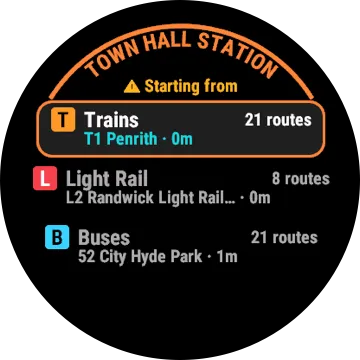
What your agent sees
A picture, and the words on it.
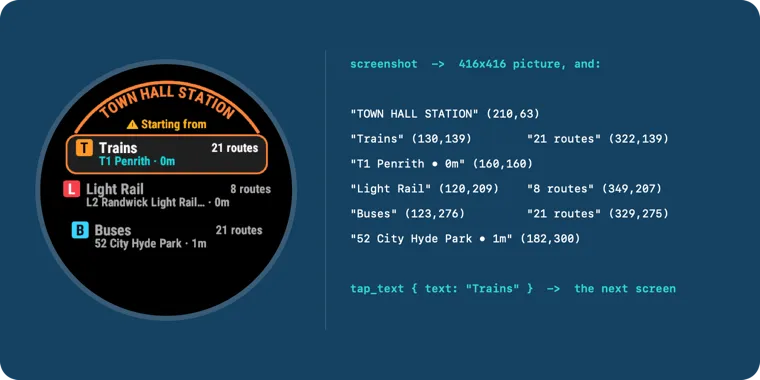
A real capture, and the text that call returned.
Runs on your Mac
It talks only to the simulator.
What it sees, it hands to your agent, which sends it to the model the agent uses. No account, no telemetry, nothing sent to us.
| Mac | macOS 14 or later. |
|---|---|
| Tools | Node.js 20, Garmin’s Connect IQ SDK, Java and Xcode Command Line Tools. |
| Permissions | Accessibility and Screen Recording, for the app you start it from. |
| Install | From npm: npx -y owl-watch-simulator-mcp. The README on GitHub has the steps. |
Something not working?
Open an issue on GitHub, or raise a case here, with or without an email address.
Provided as is, with no warranty or guarantee. You use it at your own risk: we accept no responsibility for what it, or your agent, does. Not affiliated with or endorsed by Garmin. Connect IQ is a trademark of Garmin Ltd.